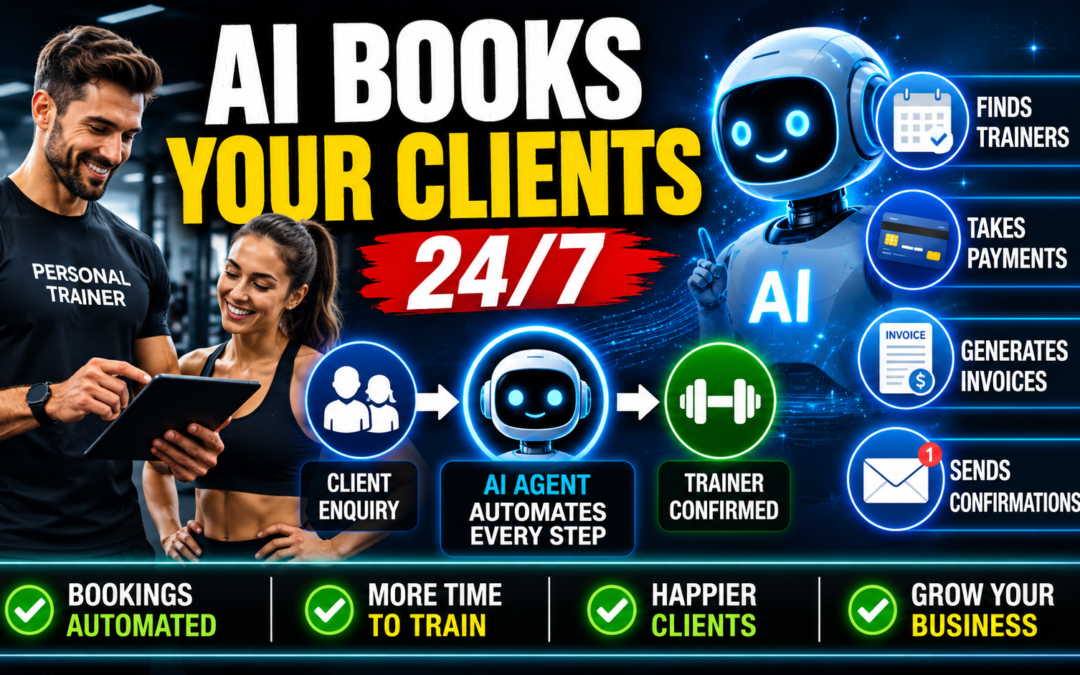
AI Manager developed a Personal Trainer AI Agent that automates the entire customer journey, from discovering a trainer through to payment, scheduling, invoicing, and appointment confirmation. The system is designed to reduce administrative work for trainers while providing a seamless experience for clients.
Step 1: Client Enquiry and Fitness Goals Assessment
The process begins when a prospective client visits the personal training website or booking portal. The AI agent welcomes the client and asks a series of questions to understand their requirements.
The AI may ask:
- What are your fitness goals?
- Are you looking for weight loss, muscle gain, strength training, rehabilitation, sports performance, or general fitness?
- Do you prefer face-to-face or online coaching?
- What days and times are you generally available?
- Do you have any injuries or special requirements?
The AI collects and organises this information to help match the client with the most suitable trainer.
Step 2: Trainer Discovery and Comparison
Once the client’s requirements are understood, the AI agent presents a list of available personal trainers.
Each trainer profile can include:
- Trainer name
- Qualifications and certifications
- Areas of specialisation
- Years of experience
- Client reviews and ratings
- Training style
- Session pricing
- Availability
The AI can explain the strengths of each trainer and answer questions about their services. This allows clients to compare multiple trainers and make an informed decision before booking.
Step 3: Trainer Selection
After reviewing the available options, the client selects the personal trainer they wish to work with.
The AI confirms:
- Selected trainer
- Type of training session
- Session duration
- Preferred appointment time
- Session price
This confirmation ensures both the client and trainer are aligned before proceeding to payment.
Step 4: Dynamic Pricing and Session Rates
Each personal trainer maintains complete control over their pricing.
The system allows trainers to set:
- Individual session rates
- Package pricing
- Introductory offers
- Group training rates
- Online coaching fees
- Special promotional pricing
The AI automatically retrieves the trainer’s current pricing structure and presents the appropriate fee to the client.
Step 5: Secure Payment Collection
Once the booking details have been confirmed, the AI agent guides the client through payment.
The system can securely process:
- Credit card payments
- Debit card payments
- Digital wallet payments
- Subscription plans
- Package purchases
The AI confirms successful payment and immediately moves the booking to the next stage.
Step 6: Automatic Invoice Generation
Following successful payment, the system automatically generates a professional invoice.
The invoice can include:
- Client details
- Trainer details
- Session description
- Appointment date and time
- GST information (if applicable)
- Payment status
- Invoice number
The invoice is stored within the system and can also be emailed directly to the client.
Step 7: Calendar Scheduling and Availability Management
After the invoice has been created, the AI agent automatically schedules the appointment.
The system checks:
- Trainer availability
- Existing bookings
- Calendar conflicts
- Business operating hours
Once availability is confirmed, the appointment is inserted directly into the trainer’s connected calendar, such as Google Calendar, Microsoft Outlook, or other supported scheduling platforms.
This eliminates double bookings and reduces manual administration.
Step 8: Appointment Confirmation Emails
Immediately after scheduling, the AI agent sends confirmation emails to both parties.
The client receives:
- Appointment confirmation
- Trainer details
- Session date and time
- Location or online meeting information
- Invoice copy
- Payment receipt
The personal trainer receives:
- New booking notification
- Client details
- Session information
- Payment confirmation
- Calendar event details
Both parties have all the information required for the upcoming session.
Step 9: Automated Reminders and Follow-Up
Prior to the appointment, the AI agent can send automated reminders via email, SMS, or other communication channels.
Reminders may include:
- Appointment date and time
- Preparation instructions
- Location details
- Rescheduling links
After the session, the AI can also send follow-up messages requesting feedback, encouraging future bookings, or promoting training packages.
Step 10: Ongoing Business Automation
The Personal Trainer AI Agent continues to support the trainer’s business by handling routine administrative tasks.
These can include:
- New client enquiries
- Session bookings
- Appointment rescheduling
- Payment collection
- Invoice generation
- Customer support questions
- Package renewals
- Client follow-ups
By automating these processes, personal trainers can focus on delivering high-quality coaching while the AI manages the administrative workload around the clock.